

Silence Automation

Remove Silences in Seconds

BestCutPro scans your timeline, detects dead air, and applies clean cuts with speech-safe padding. This is the fastest way to get from raw footage to first-cut quality without repetitive manual trimming.

Timeline-native workflow J-Cut / L-Cut compatible Local-first processing
-40%Average rough-cut prep time
1 clickTo run default cleanup profile
100%Editor control before final apply

How it works in production

Use simple mode for fast drafts, or advanced controls when projects require precision. You can tune threshold, minimum gap, and edge padding before applying cuts.

  • Set dB threshold or let AI estimate background floor
  • Protect natural speech with pre/post cut padding
  • Review candidate cuts before timeline apply
  • Use preset profiles for different content types
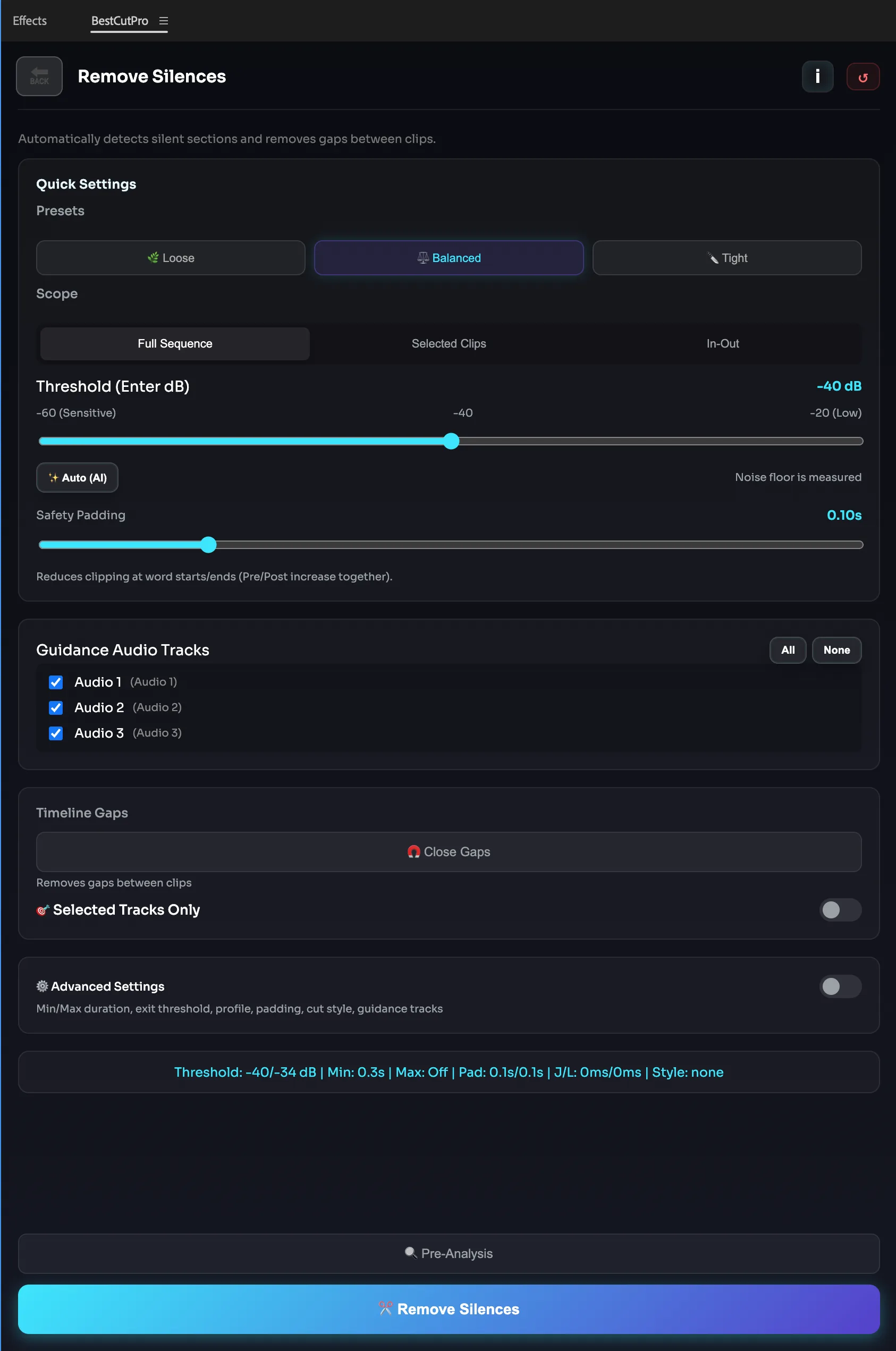
Silence remover workflow in BestCutPro
Silence decisions are generated as actionable timeline suggestions.

Manual Cleanup

Before
Before automation audio cleanup view

Editors scrub through the full timeline and manually trim dead spaces one by one.

BestCutPro Pass

After
After automation silence cleanup view

Silence candidates are auto-detected and applied with padding-safe cuts in a single pass.

Step 1

Pick Scope

Run on sequence, selected clips, or in-out range.

Step 2

Analyze

BestCutPro identifies silence blocks and flow-safe cut positions.

Step 3

Apply

Preview and apply with one click while preserving editorial intent.

“Silence cleanup used to be the most repetitive part of our edit day. With BestCutPro, we recover hours every week and still keep natural speech rhythm.” — Post-Production Lead, Podcast Network

Ship Cleaner Edits, Faster

Use automatic silence trimming as your first pass and focus on story, not repetitive cuts.

Buy BestCutPro Now